



Vol 2: useReducer
Introduction
useReducer hook as its name implies is an alternative hook to useState hook which helps to reduce state in a way, though useReducer has the benefit of dealing with complex states. In this blog, I would be using counter and boolean to explain the concept of useReducer. Sit tight. And this would be done firstly using useState and then useReducer.
The code using useState
import React from "react";
import "./UseStateCase.css";
import { useState } from "react";
const UseReducer = () => {
  //USING useState INSTEAD OF useReducer

  //State
  const [count, setCount] = useState(0);
  const [showText, setShowText] = useState(true);
  return (
    <div className="useStateCase-wrapper">
      <div className="useStateCase-content">
        <h1>useReducer</h1>
        <h2>{count}</h2>
        <button
          onClick={() => {
            setCount(count + 1);
            setShowText(!showText);
          }}
        >
          Click here
        </button>
        {showText && <p>This is a text</p>}
      </div>
    </div>
  );
};
export default UseReducer;
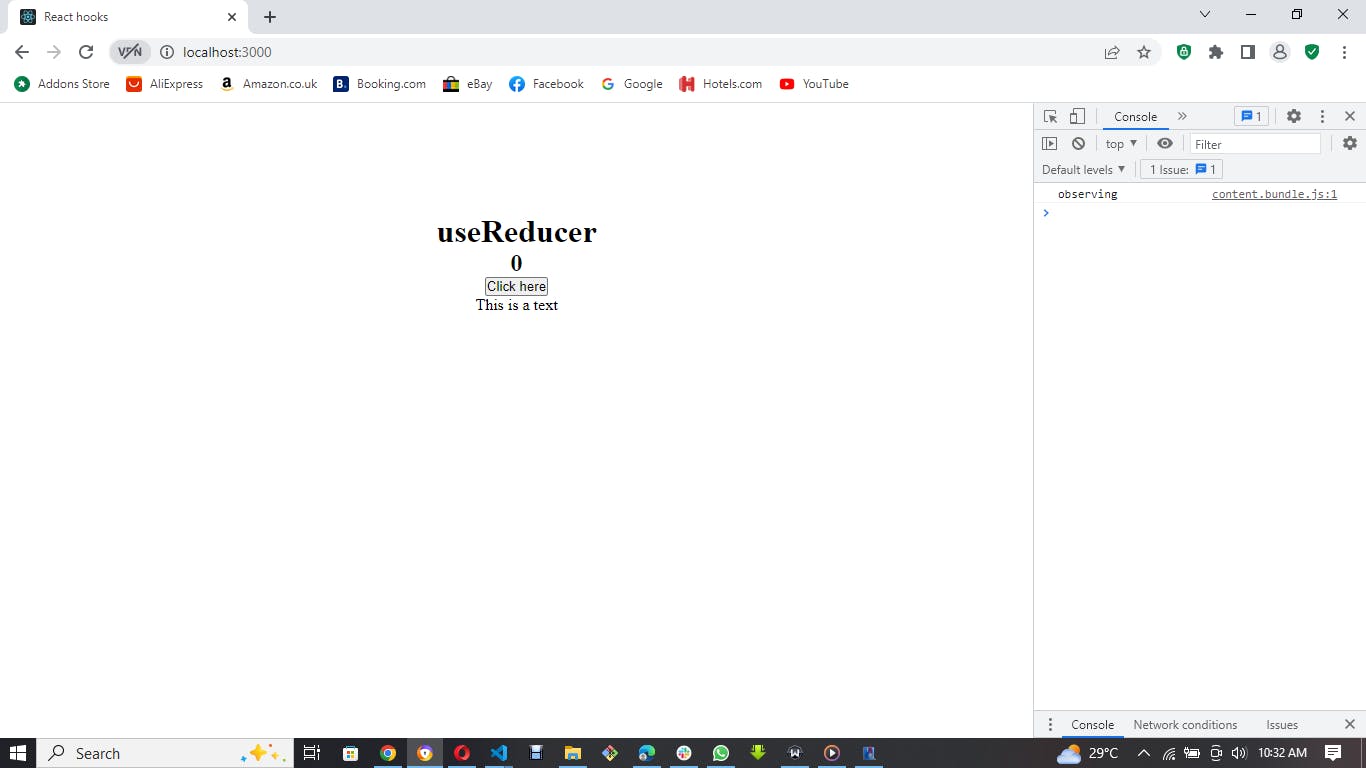
The result for the above code
The code using useReducer
import React, { useReducer } from "react";
import "./UseReducerCase.css";

//Reducer function
const reducer = (state, action) => {
  switch (action.type) {
    case "INCREMENT":
      return { count: state.count + 1, showText: state.showText };
    case "showTextToggle":
      return { count: state.count, showText: !state.showText };
    default:
      return state;
  }
};
const UseReducerCase = () => {
  //useReducer state
  const [state, dispatch] = useReducer(reducer, { count: 0, showText: true });
  return (
    <div className="useReducerCase-wrapper">
      <div className="useReducerCase-content">
        <div>{state.count}</div>
        <button
          onClick={() => {
            dispatch({ type: "INCREMENT" });
            dispatch({ type: "showTextToggle" });
          }}
          className="useReducerCase-btn"
        >
          Click
        </button>
        {state.showText && <p>This is text</p>}
      </div>
    </div>
  );
};
export default UseReducerCase;
In using useReducer hook in react, these are the major steps to take:
- Know the states you are managing within the component or application. In our case, we're writing a
useReducerfor:
count: Increment the count state by clicking a button.
showText: Flipping between showing the inner content "This is a text" of an element and making its display none.
- Write the
useReducerhook after importing it from react.
Importing useReducer
import React, { useReducer } from "react";
Writing useReducer state
const [state, dispatch] = useReducer(reducer, {count: 0, showText: true});
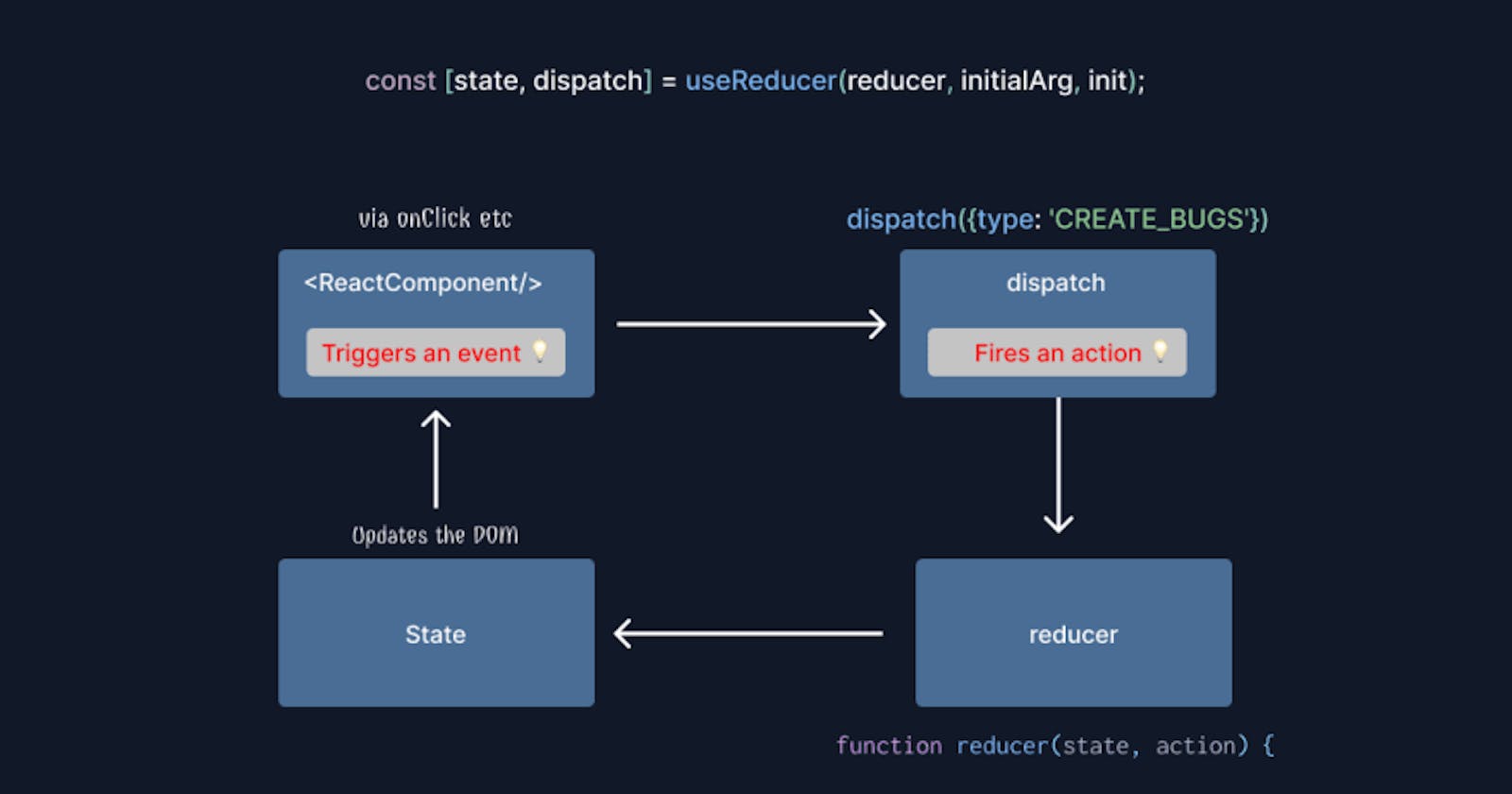
The above code for useReducer state looks like useState hook. The state represents the initial state for both the count and showText. The dispatch works like the setState in useState. It would be used to set the initial state of both the count and showText variables. And the reducer is the function that determines the kind of action to be performed on both the count and showText. The reducer is receiving two parameters-the state and the action (which is going to define the kind of action to be performed on the initial state when the dispatch is called.
Conclusion
In conclusion, useReducer hook comes in handy when dealing with sophisticated states. It is preferable to useReducer in such cases to avoid repetition. I believe this write-up would have made useReducer crystal clear to you. If this is true, help me to like it. Thanks for taking the time to read. Watch out for the next hook!